

01 · Draw
Sketch the route first.
Plan a walking route on the map before you go: follow the streets or draw freely. Try it here.
Draw a route with your mouse or finger.
Your route measures itself here.
Walking route planner · iPhone & Android
Meandly is a walking route planner for GPS art, city walks and walking with friends. Every new neighborhood adds a stamp to your globe, and your globe becomes a video you can share.
How it works
Draw a route on the map, walk it with Wandoo, and keep the line you walked as art.
01 · Draw
Plan a walking route on the map before you go: follow the streets or draw freely. Try it here.
Draw a route with your mouse or finger.
Your route measures itself here.
02 · Walk
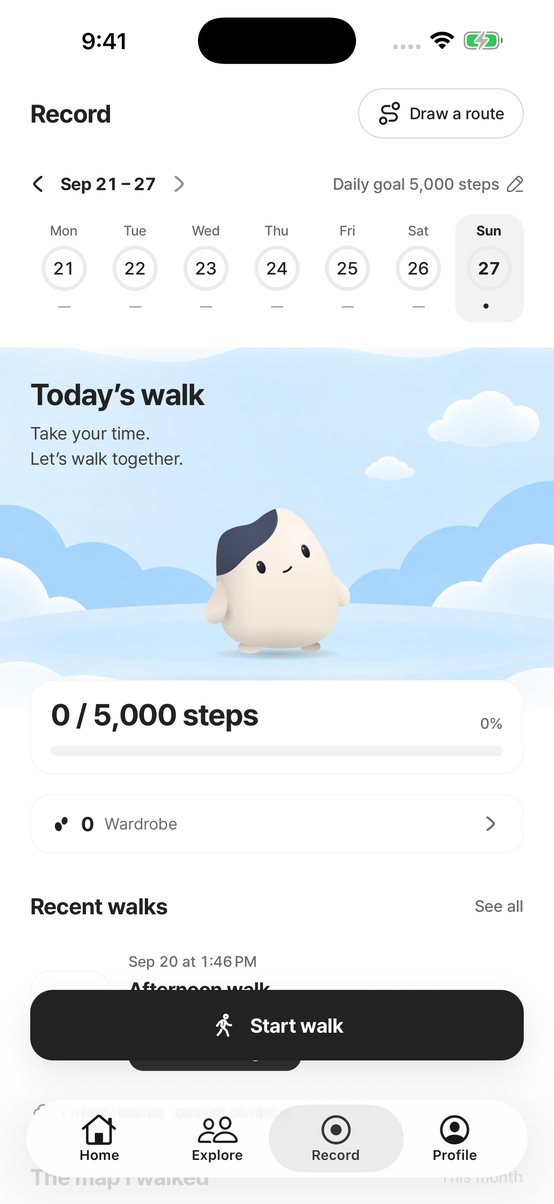
Tap Start walk and Meandly records your walk with GPS: route, distance, time and steps. Set a daily step goal, keep your streak, and get a reminder at the time you like to walk. Choose who walks with you: Wandoo or one of four friends, Hodu, Podo, Bori and Jadu.
03 · Keep
Draw a shape, walk it, and save the line as Route Artwork to share. After a walk, Wandoo finds a picture in your line, like a Slow Snail.
Stamps
The first time you walk a neighborhood, a stamp lands on your globe (up to five a day).
My globe video: from your second stamp, Meandly plays your stamps around the globe with sound, ready to save or share as a vertical video. Places are named by city only.
Crew
Start a crew of 2–6 friends or family and fill one weekly goal together.
Cheer each other on and compete in the weekly league, ranked by days walked per member. The winning crew earns beans and a trophy.
A real walk to try
A real Meandly route through central Paris — five stops, 3.2 mi, about 1 hr 25 min on foot.
See the full routeRoute availability and community content vary by city.
Yes — on both the App Store and Google Play. Walking, tracking, stamps and crews are free. Meandly Pro is an optional monthly or yearly subscription that adds more routes along the streets, larger Route Artwork without the Meandly mark, your full walked map, translation, monthly beans and seasonal wardrobe gifts.
Yes. You can draw and record walks anywhere with a map and a GPS signal. Public routes from other walkers vary by city.
Wandoo is your walking companion in Meandly. Plan your first four weeks with Wandoo, then choose who walks with you: Wandoo or one of four friends, Hodu, Podo, Bori and Jadu. The others come home with beans. Walking earns beans. Dress your walking friend in the wardrobe and decorate your room.
Wherever you walk, your distance moves you along a famous route, from a free Central Park loop to the Camino de Santiago.
Your walk records stay private unless you share them. In My globe video, places are named by city only.
Yes. The Louvre to Tuileries walk is a real Meandly route. Opening hours and access can change, so check local information on the day.
Walk with Wandoo and your crew, collect a stamp in every new neighborhood and keep each walk as GPS art.
Free to download